
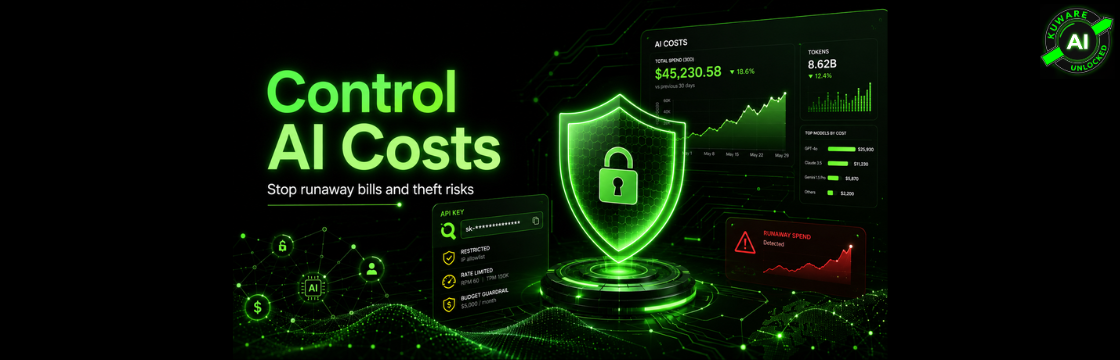
AI is becoming one of those business expenses that feels small right up until it isn’t.
A few dollars here. A few developer prompts there. A chatbot feature. A Claude Code session. A few employees “just experimenting.” Then somebody looks at the bill six months later and asks the obvious question:
What exactly are we getting for this?
That question is coming up more often now. And not just because of normal growth. We’re seeing two different AI cost problems show up at the same time.
The first is the nightmare scenario: stolen API keys, runaway agents, accidental loops, and usage spikes that create shocking bills before anyone catches them. A developer recently reported more than $82,000 in unauthorized Gemini API charges in just 48 hours after a key was compromised, compared with a normal monthly bill of about $180. The Register reported that the compromised key was used primarily on Gemini text and image generation, and that Google cited its shared responsibility model when the developer sought relief.
The second problem is quieter, but in many companies it’s more dangerous: steady cost creep.
That’s when everyone is encouraged to use AI, nobody wants to slow innovation down, accounts get handed out freely, and usage grows without a real ROI framework. Not malicious. Not dramatic. Just expensive.
And honestly, this is where most companies will get hurt.
Not from one stolen key.
From hundreds of normal decisions that nobody measured.
The Horror Stories Are Real, But They’re Not the Whole Story
The stolen Gemini key story got attention because the number was so extreme. But it’s not the only warning sign. TechRadar reported on CloudSEK research describing exposed Google API keys being abused for Gemini usage, including a solo developer hit with about $15,400, a Japanese company reportedly hit with about $128,000, and a Mexico-based team seeing an $82,314 spike in 48 hours.
Then there are runaway agent problems. One writeup described a four-agent LangChain-style system that looped for 11 days and burned through $47,000 before anyone stopped it. The problem wasn’t a hacker. It was agents talking to agents with no serious budget ceiling.
And then there’s the enterprise adoption problem. Inc., citing Fast Company and Axios reporting, described an unnamed company that allegedly spent half a billion dollars in one month on Claude because employees had no practical usage limits. Whether every detail of that story becomes fully public or not, the lesson is already clear: if AI access is unlimited, usage will eventually test the limit.
But here’s the part I care about most for small and mid-sized businesses.
You don’t need a half-billion-dollar mistake to have an AI spending problem.
For a small company, $2,000 to $10,000 a month in unplanned AI usage can be enough to create pain. For a SaaS company serving hundreds of customers, one badly behaved user, one accidental loop, or one careless integration can wipe out the economics of a product feature.
So the answer is not “use less AI.”
The answer is: use AI like a business system, not like a toy.
Start With the Basic Security Controls
If you’re using AI APIs in production, the first rule is boring and non-negotiable:
Never expose API keys in client-side code.
Not in JavaScript. Not in a mobile app. Not in a public repo. Not in a demo frontend. API keys belong behind your backend, gateway, or server-side proxy where you can control access, monitor usage, and revoke credentials quickly.
After that, separate your keys.
One API key for everything is convenient until something goes wrong. Then you have no idea which app, feature, customer, developer, or environment caused the spike. Use different keys or projects for different apps, environments, and teams. For a SaaS business, separate by product or tenant where practical. At minimum, tag every request internally so you can trace spend back to the exact customer, user, workflow, and feature.
Key rotation matters too. Rotate keys on a schedule. Revoke anything suspicious immediately. Use least-privilege permissions when the provider supports them. OpenAI, for example, lets projects create API keys and set permissions such as restricted or read-only access by endpoint.
Also, don’t rely on billing alerts alone. Alerts tell you that something happened. They don’t always stop the thing from continuing.
That difference matters.
Budgets Are Not All the Same
This is where a lot of teams get a false sense of safety.
They go into a provider dashboard, set a budget, and assume the platform will shut usage off when the number is reached. Sometimes that’s true. Sometimes it isn’t.
OpenAI’s project budgets are useful for visibility, but their current documentation says they are soft spending thresholds. API requests continue after the monthly budget is exceeded, and the feature is designed for alerts rather than hard enforcement.
Gemini is stronger here. Google announced Project Spend Caps in Google AI Studio, allowing monthly dollar limits per project. That’s very useful if you want project-level control. But Google also notes that spend caps can have about a 10-minute delay, and users are responsible for overages during that period.
Anthropic has usage-tier spend limits and also allows customer-set spend limits below the tier ceiling. Its docs say that once you reach the tier spend limit, you have to wait until the next month unless you qualify for a higher tier.
xAI’s Grok API docs focus on rate limits: requests per minute and tokens per minute, with limits scaling by team tier based on cumulative API spend. I did not find official xAI documentation showing configurable monthly dollar caps per key or project in the same way Gemini describes Project Spend Caps.
Here’s the practical takeaway:
Provider controls are your last line of defense.
Your application controls should be the first.
SaaS Companies Need User-Level and Tenant-Level Guardrails
If you’re building a SaaS product with AI features, don’t stop at an application-wide budget.
That’s too blunt.
Suppose one customer creates a runaway workflow. If your only control is an app-wide cap, you may shut down AI for every customer just because one account misbehaved. That’s bad product design and bad cost control.
You need layers.
At the user level, set daily and monthly limits in tokens, requests, or dollars. This helps catch accidental abuse, curious users pushing boundaries, and bad loops tied to one account.
At the tenant or workspace level, set a second budget. One customer may have 10 users. Individually, they may look reasonable. Together, they may be burning through far more than the subscription economics allow.
At the application level, keep a final emergency stop. This protects the business if your lower-level controls fail.
And then add provider-level controls where available.
That gives you four practical layers:
User limit.
Tenant or workspace limit.
Application-wide safety net.
Provider-level budget, quota, or rate limit.
The uploaded discussion captured this point well: if you serve hundreds of clients, per-user limits are not just about cost control. They also make debugging easier because you can quickly see which account is suddenly using 50 times more tokens than normal.
Build Your Own Budget Circuit Breaker
A real AI cost control system should not just observe usage. It should enforce limits before the provider invoice arrives.
Think of it like a circuit breaker.
Before every AI call, your system should ask:
How much has this user spent today?
How much has this feature spent this week?
How much has the whole application spent today?
Is this request unusually large?
Is the model too expensive for this type of task?
If the request fails one of those checks, don’t send it. Return a graceful message, queue it for approval, downgrade the model, or ask the user to upgrade.
This is not anti-AI. This is how you keep AI sustainable.
The teams that skip this step eventually end up with awkward finance meetings.
The Quiet Problem: AI Exploration Without ROI
Now let’s talk about the less dramatic problem.
A founder or executive wants everyone to use AI more. That’s a good instinct. You don’t want your team falling behind. So you create accounts. You give developers Claude Code. You give the marketing team ChatGPT. You give operations a few automation tools. You encourage experimentation.
Then the bill climbs.
At first, nobody complains because it still feels like innovation. But six or nine months later, the spend is material and the ROI is fuzzy.
That’s when the uncomfortable question shows up:
Are we more productive, or are we just using more AI?
This happens because AI usage feels productive even when it isn’t.
A developer uses an AI coding agent to do something that would have taken 30 seconds manually. A file copy becomes a prompt. A simple spreadsheet cleanup becomes a multi-step agent workflow. A customer support answer that could come from a saved template gets generated from scratch every time.
The uploaded discussion called this out directly: sometimes the convenience of staying in an AI-assisted command line causes people to spend tokens on basic tasks that did not really need AI.
That does not mean you ban those tools.
Use AI where it creates leverage. Don’t use AI as a very expensive wrapper around basic clicking, copying, pasting, or searching.
Make AI Spend Visible
Most AI cost creep happens because nobody can see it clearly.
The invoice says OpenAI, Anthropic, Google, xAI, or some other platform. But that doesn’t tell you enough.
You need cost by:
- Team
- Project
- Feature
- Customer
- User
- Model
- Environment
- Prompt type
- Document type
When you can see spend this way, conversations get much easier. Instead of “AI is getting expensive,” you can say:
“Our support summarization feature costs 11 cents per ticket.”
“Our sales research workflow costs $4.20 per qualified lead.”
“This one customer is using 38 percent of our AI budget.”
“Our coding team spent $3,200 last month, but 60 percent came from repeated full-codebase context loading.”
That is the difference between panic and management.
Model Choice Is a Cost Strategy
One of the biggest levers is model selection.
The mistake is assuming the best model should handle every task forever. That’s usually not true.
A practical approach is to start with the best model when the feature is new. Use the strongest model to prove the product experience. Get the workflow right. Make users happy. Reduce product risk first.
Then, once the feature is stable, start stepping down behind the scenes.
Run a cheaper model in parallel on a sample of requests. Don’t show its output to users yet. Compare it against the premium model. Use a rubric. Check accuracy, tone, completeness, formatting, safety, latency, and retry rate.
If the cheaper model gets you 95 percent of the way there, or sometimes 100 percent for a narrow task, start routing low-risk requests to it. Keep the premium model for edge cases, high-value users, complex reasoning, or fallback.
This is one of my favorite AI cost strategies because the user doesn’t experience the experiment. They only experience the stable product.
The uploaded discussion framed this as “start high, step down intelligently,” where the premium model establishes the experience and cheaper models are tested quietly until one is good enough.
Route by Task, Not by Ego
Every AI task does not deserve the most expensive model.
Some jobs need deep reasoning. Some need classification. Some need summarization. Some need extraction. Some need rewriting. Some need tool calling. Some need code generation. Some just need a short JSON object.
Treat those differently.
For example:
Use a premium reasoning model for complex planning, ambiguous instructions, or high-risk decisions.
Use a cheaper fast model for classification, tagging, rewriting, extraction, and routing.
Use embeddings or keyword logic before calling a large model.
Use deterministic code for things that don’t require language understanding.
Use a fallback model only when the cheaper model fails a confidence check.
The goal is not to worship a model. The goal is to get the job done at the right quality and the right cost.
Sometimes the Scaffolding Matters More Than the Model
This is especially true in coding agents and complex workflows.
Tools like Claude Code, Open Code, and other agent frameworks are not just “a model.” They are scaffolding: file awareness, tool use, planning loops, terminal access, context management, diffing, retries, and workflow structure.
That scaffolding is often the real value.
Once you see it that way, a new optimization appears: keep the scaffolding, but swap the model behind it where possible.
The uploaded discussion used the right concept: you’re changing the model inference endpoint, API base URL, or gateway behind the workflow. In plain English, the tool keeps operating through the same workflow, but the request is routed somewhere cheaper.
This is where Ollama, OpenRouter, and LiteLLM become useful.
Ollama supports OpenAI-compatible API routes, which makes it easier to connect existing OpenAI-style applications to local models. OpenRouter provides a unified API for access to many models through a single endpoint and can handle fallbacks and cost-effective model selection. LiteLLM is an open-source AI gateway that can call 100-plus LLM providers using OpenAI format, and its gateway includes features such as virtual keys, spend tracking, guardrails, load balancing, and an admin dashboard.
The important nuance: this is not always a one-line config change.
If the tool expects Anthropic’s API shape and the backend speaks OpenAI’s API shape, you may need a gateway or proxy that translates between them. If the tool and backend already support the same schema, direct routing may work. If not, run a proxy.
A clean production pattern looks like this:
Your app or agent talks to one internal AI gateway.
The gateway routes requests to OpenAI, Anthropic, Gemini, Grok, OpenRouter, Ollama, or self-hosted models.
The gateway logs usage and cost.
The gateway enforces per-user, per-tenant, and per-model limits.
The gateway handles fallback when a model fails.
That architecture gives you leverage. You can change models without rewriting the whole application.
Prompt Caching: Stop Paying for the Same Context Again and Again
A lot of AI applications send the same content repeatedly.
System prompts. Brand instructions. Product catalogs. Policy documents. Codebase context. Tool definitions. Long examples. Conversation history.
Prompt caching can dramatically reduce cost when that repeated context is structured correctly.
OpenAI says prompt caching can reduce latency by up to 80 percent and input token costs by up to 90 percent, and it works automatically on recent models. OpenAI also recommends placing static content at the beginning of the prompt and variable content at the end to improve cache hits.
Anthropic’s prompt caching pricing is also powerful: cache reads are priced at 0.1 times the base input token price, while cache writes cost more upfront depending on cache duration.
For teams doing document analysis, coding, support automation, or repeated workflow execution, caching should be part of the design from day one.
The wrong way is to keep resending a giant prompt with tiny changes at the top.
The better way is to put stable context first, dynamic user-specific content last, and reuse the stable prefix as often as possible.
Batch Processing: Don’t Pay Real-Time Prices for Offline Work
Not every AI job needs to happen instantly.
Evaluations, nightly classifications, lead enrichment, document tagging, content audits, embedding jobs, and bulk summarization can often wait.
That’s where batch APIs come in.
OpenAI’s Batch API offers asynchronous processing with 50 percent lower costs and a 24-hour turnaround target for jobs that don’t require immediate responses. Anthropic’s Message Batches API charges usage at 50 percent of standard API prices, and its docs note that batching and prompt caching discounts can stack, although cache hit rates vary.
This is low-hanging fruit.
If your workflow can wait, don’t run it through the most expensive real-time path.
Context Optimization: Smaller Inputs Usually Mean Smaller Bills
Token cost is simple: the more you send, the more you pay.
Yet many AI systems blindly send too much context:
- The entire conversation history.
- The whole document.
- The whole codebase.
- Every tool description.
- Every policy.
- Every customer record.
That’s lazy architecture.
A better approach is to retrieve only what is needed, summarize old context, remove duplicate content, trim tool definitions, cap output tokens, and avoid loading large files unless the task truly requires them.
And yes, sometimes the cheapest AI call is no AI call.
If a deterministic script can do the job, use the script.
PDFs Are Token Heavy. Convert Them Before You Send Them.
PDFs deserve special attention because businesses love uploading them into AI workflows.
Contracts. Reports. Brochures. Resumes. Financial documents. Pitch decks exported as PDFs. Manuals. Invoices. Research papers.
The problem is that PDFs are often expensive for AI systems to process. Anthropic’s PDF support docs say token count depends on extracted text and page count, and that each page typically uses 1,500 to 3,000 tokens depending on content density. Since PDF pages can also be converted into images for analysis, image token costs may apply too.
So before you send a PDF directly to a model, ask whether the model really needs the visual layout.
If it only needs the text, convert the PDF to clean Markdown first.
Microsoft’s MarkItDown is built for this exact kind of workflow. It converts PDFs, PowerPoint, Word, Excel, images, HTML, CSV, JSON, XML, ZIP files, YouTube URLs, EPUBs, and more into Markdown for LLM and text analysis pipelines. The project notes that Markdown is close to plain text, preserves useful structure, and is token-efficient.
For broader document conversion, MindStudio reported that converting HTML, PDF, and DOCX to Markdown before AI ingestion can reduce token usage by 65 to 90 percent, with text-based PDFs typically seeing 40 to 65 percent reductions and complex or scanned PDFs seeing 20 to 50 percent reductions.
That’s a big deal.
If your product processes hundreds or thousands of documents, PDF preprocessing is not a nice-to-have. It’s margin protection.
Don’t Forget Output Tokens
Most teams focus on input tokens because big context windows are obvious. But output tokens cost money too.
If you ask the model to “explain in detail,” it will.
If you ask for verbose reasoning, it may produce a lot of text.
If you don’t cap max_tokens, you may pay for output nobody reads.
Use structured output where possible. Ask for the exact fields you need. Return JSON for machines. Return short answers for users. Save long-form generation for places where long-form output actually creates value.
A customer support classifier should not write a paragraph.
A lead scoring workflow should not generate a mini essay.
A file routing agent should not narrate its life story.
Create a Monthly AI Cost Review
This sounds basic, but it works.
Once a month, review AI spend by team, project, feature, customer, and model.
Ask five questions:
What did we spend?
What business outcome did it support?
Which workflows got more expensive?
Which model routes can be downgraded?
Which prompts, documents, or agents need optimization?
Don’t turn this into a blame meeting. Make it operational.
The goal is to keep AI adoption healthy. If people feel punished for using AI, they’ll hide usage or avoid experimentation. But if nobody reviews spend, you’ll eventually get waste.
The balance is visibility plus guardrails.
The Practical Kuware AI Cost Control Playbook
Here’s the operating model I’d recommend for any serious AI rollout.
First, secure the keys. No frontend exposure. No shared master key. Use separate keys, scoped permissions, rotation, and secret scanning.
Second, instrument usage. Log tokens, model, cost, feature, user, tenant, request type, and outcome.
Third, enforce budgets in your own application. Don’t rely only on provider dashboards. Add user, tenant, app, and provider-level controls.
Fourth, classify your AI tasks. Don’t send every request to the premium model. Route by complexity and business value.
Fifth, test cheaper models in parallel. Start with the best model, then step down quietly once quality is stable.
Sixth, use an AI gateway. Centralize routing, logging, budgets, fallbacks, and provider switching.
Seventh, preprocess documents. Convert PDFs and office files to Markdown when visual layout is not required.
Eighth, use caching and batching. Stop paying full real-time prices for repeated context and offline jobs.
Ninth, make spend visible. Review it monthly like any other business system.
Tenth, teach the team when not to use AI. Some tasks are faster, cheaper, and safer manually.
AI Should Create Leverage, Not Surprise Bills
AI is not going away. The companies that win won’t be the ones that block it. They’ll be the ones that operationalize it.
That means giving teams access, but not unlimited access.
It means experimenting, but measuring the output.
It means using strong models, but not using them for every tiny task.
It means building AI into products, but protecting your margins with per-user and per-tenant controls.
And it means remembering that the real risk is not one bad invoice.
The real risk is letting AI become an uncontrolled operating expense before anyone owns the system.
At Kuware, we look at AI the same way we look at growth: it has to produce measurable leverage. If it saves time, improves customer experience, increases conversion, or creates new capacity, great. Scale it.
But if it’s just expensive exploration with no business case, fix the system before the bill fixes it for you.
Unlock your future with AI, or risk being locked out. Make the choice now.
