
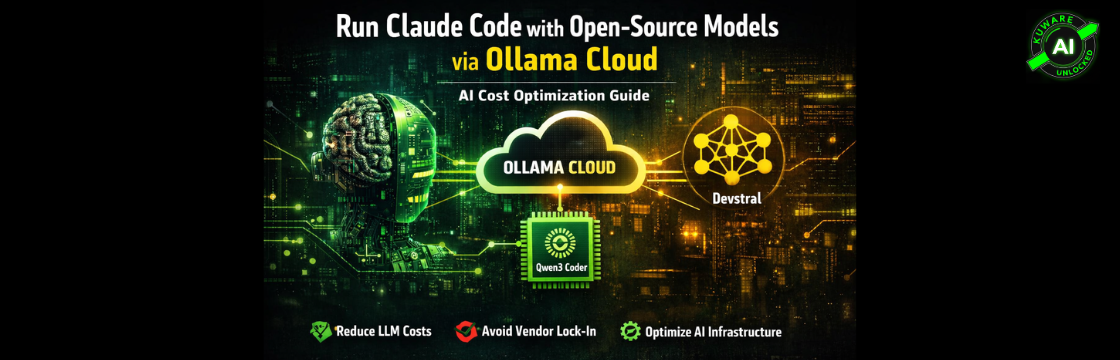
A Practical AI Cost Optimization Guide from Kuware
Why Do This?
If you use Claude Code on a subscription plan (Claude Max or Pro), you have a fixed monthly cost, but that plan does not give you unlimited access to the most powerful models. Heavy usage hits limits, and Opus 4 is often not available on base plans.
Meanwhile, Ollama Cloud gives you API access to some impressive open-source models, including Qwen3 Coder, Devstral, DeepSeek V3, and others, at a fraction of the cost or even free during preview periods.
This guide shows you how to intercept Claude Code’s API calls and silently redirect them to Ollama Cloud, while keeping the ability to switch back to real Claude with a single command. You get:
- Claude Code’s full interface and workflow, unchanged
- Ollama Cloud models (Qwen3 Coder, Devstral, DeepSeek) doing the actual inference
- One-command switching between real Claude and Ollama
- Per-role model control, use a big model for complex tasks, a fast model for quick completions
How It Works
Claude Code reads an environment variable called ANTHROPIC_BASE_URL to decide where to send API calls. Normally this is not set, so calls go to Anthropic. When you set it to point at a local proxy, Claude Code sends everything there instead.
The proxy we use is LiteLLM, a lightweight Python server that accepts Anthropic-format requests and translates them for other backends. It maps Claude model names (like claude-sonnet-4-5) to Ollama model names (like qwen3-coder-next), then forwards the request to Ollama Cloud.
The full flow looks like this:
					Claude Code (WSL)
    ↓ ANTHROPIC_BASE_URL=http://localhost:8082
LiteLLM Proxy (localhost:8082)
    ↓ translates model name, rewrites request
Ollama Cloud API (api.ollama.com)
    ↓ runs inference on Qwen3 Coder / Devstral / etc
Response comes back → LiteLLM reformats it → Claude Code receives it
Claude Code never knows the difference. From its perspective it sent a request to “the Anthropic API” and got a valid response back.
Prerequisites
- Windows with WSL2 installed and running
- Claude Code installed in WSL (run: npm install -g @anthropic-ai/claude-code)
- Python 3.10+ in WSL (Ubuntu 24 comes with 3.12)
- An Ollama Cloud account with API key (ollama.com)
⚠️ Important: Two API keys involved here. Your Ollama Cloud key (used in the proxy config) and your Anthropic key (used by Claude Code for authentication). Keep them separate, and never share either publicly.
Step 1: Get Your Ollama Cloud API Key
Sign up at ollama.com and navigate to your account settings to generate an API key. Test it works before going further:
					curl https://api.ollama.com/api/tags \
  -H "Authorization: Bearer YOUR_OLLAMA_KEY"
You should see a JSON list of available models. If you get a 401, the key is wrong. Check what models you have access to, the exact model name string matters (e.g. qwen3-coder-next, not qwen3-coder).
Step 2: Install LiteLLM
LiteLLM is the proxy that sits between Claude Code and Ollama Cloud. Install it in WSL:
pip install 'litellm[proxy]' --break-system-packages
The [proxy] extra installs websockets and other dependencies required to run LiteLLM as a server. Without it you will get a ModuleNotFoundError on startup.
Step 3: Create the LiteLLM Config
Create a config directory and file:
					mkdir -p ~/.litellm
nano ~/.litellm/config.yaml
Paste the following, replacing YOUR_OLLAMA_KEY with your actual key:
					model_list:
  - model_name: claude-opus-4-5
    litellm_params:
      model: ollama/qwen3-coder-next
      api_base: https://api.ollama.com
      api_key: YOUR_OLLAMA_KEY


  - model_name: claude-sonnet-4-5
    litellm_params:
      model: ollama/qwen3-coder-next
      api_base: https://api.ollama.com
      api_key: YOUR_OLLAMA_KEY


  - model_name: claude-haiku-4-5-20251001
    litellm_params:
      model: ollama/devstral-small-2:24b
      api_base: https://api.ollama.com
      api_key: YOUR_OLLAMA_KEY
What each section does:
| Setting | What It Does |
|---|---|
| model_name | The Claude model name Claude Code will request |
| model: ollama/... | The actual Ollama model to use for that request |
| api_base | Redirect to Ollama Cloud instead of Anthropic |
| api_key | Your Ollama Cloud credentials |
Notice that opus and sonnet both map to qwen3-coder-next (the quality model), while haiku maps to devstral-small-2:24b (a faster, lighter model for quick tasks). This mirrors how Claude’s own model tiers work.
Step 4: Add Shell Functions to ~/.bashrc
These functions give you one-command switching between modes. Open your .bashrc:
nano ~/.bashrc
Add the following block at the bottom. Replace YOUR_OLLAMA_KEY in the OLLAMA_KEY variable
					# ── Claude Code / Ollama Switcher ─────────────────────


OLLAMA_KEY="YOUR_OLLAMA_KEY"


OLLAMA_MODELS_MAIN=(
  "qwen3-coder-next"
  "qwen3-coder:480b"
  "devstral-2:123b"
  "deepseek-v3.1:671b"
  "cogito-2.1:671b"
)


OLLAMA_MODELS_FAST=(
  "devstral-small-2:24b"
  "gemma3:12b"
  "ministral-3:8b"
  "rnj-1:8b"
)


claude-ollama() {
  if ! pgrep -f "litellm.*8082" > /dev/null; then
    echo "Starting LiteLLM proxy..."
    nohup litellm --config ~/.litellm/config.yaml --port 8082 \
      > ~/.litellm/proxy.log 2>&1 &
    sleep 2
  fi
  export ANTHROPIC_BASE_URL="http://localhost:8082"
  export ANTHROPIC_API_KEY="sk-ant-fakekey000000000000000000000000000000000000000000000000000000000000
  0000000000000000000000000000"
  echo "✅ Claude Code → Ollama Cloud"
}


claude-real() {
  unset ANTHROPIC_BASE_URL
  echo "✅ Claude Code → Real Anthropic Claude"
}


_restart_proxy() {
  pkill -f "litellm.*8082" 2>/dev/null
  sleep 1
  nohup litellm --config ~/.litellm/config.yaml --port 8082 \
    > ~/.litellm/proxy.log 2>&1 &
  sleep 2
  echo "   Proxy restarted"
}


claude-model() {
  if [ -z "$1" ]; then
    echo "── Main models (opus + sonnet) ──"
    for i in "${!OLLAMA_MODELS_MAIN[@]}"; do
      echo "  $i) ${OLLAMA_MODELS_MAIN[$i]}"
    done
    echo ""
    echo "── Fast models (haiku) ──"
    for i in "${!OLLAMA_MODELS_FAST[@]}"; do
      echo "  $i) ${OLLAMA_MODELS_FAST[$i]}"
    done
    echo ""
    echo "Usage:  claude-model <number>        # set opus+sonnet"
    echo "        claude-model fast <number>   # set haiku"
    echo ""
    _claude_model_status
    return
  fi
  if [ "$1" = "fast" ]; then
    local selected="${OLLAMA_MODELS_FAST[$2]}"
    [ -z "$selected" ] && echo "❌ Invalid" && return
    python3 -c "
import yaml
with open('$HOME/.litellm/config.yaml') as f:
    cfg = yaml.safe_load(f)
for m in cfg['model_list']:
    if 'haiku' in m['model_name']:
        m['litellm_params']['model'] = 'ollama/$selected'
with open('$HOME/.litellm/config.yaml', 'w') as f:
    yaml.dump(cfg, f, default_flow_style=False)
"
    echo "✅ Haiku (fast) → $selected"
    _restart_proxy
  else
    local selected="${OLLAMA_MODELS_MAIN[$1]}"
    [ -z "$selected" ] && echo "❌ Invalid" && return
    python3 -c "
import yaml
with open('$HOME/.litellm/config.yaml') as f:
    cfg = yaml.safe_load(f)
for m in cfg['model_list']:
    if 'haiku' not in m['model_name']:
        m['litellm_params']['model'] = 'ollama/$selected'
with open('$HOME/.litellm/config.yaml', 'w') as f:
    yaml.dump(cfg, f, default_flow_style=False)
"
    echo "✅ Opus + Sonnet → $selected"
    _restart_proxy
  fi
}


_claude_model_status() {
  python3 -c "
import yaml
with open('$HOME/.litellm/config.yaml') as f:
    cfg = yaml.safe_load(f)
for m in cfg['model_list']:
    name = m['model_name']
    model = m['litellm_params']['model'].replace('ollama/','')
    print(f'  {name:35} → {model}')
"
}


claude-status() {
  if [ "$ANTHROPIC_BASE_URL" = "http://localhost:8082" ]; then
    echo "U0001F7E1 Mode: Ollama Cloud"
    echo "   Proxy: $(pgrep -f litellm > /dev/null && echo 'running' || echo 'NOT running')"
    echo ""
    echo "   Model routing:"
    _claude_model_status
  else
    echo "U0001F7E2 Mode: Real Anthropic Claude"
  fi
  echo ""
  echo "   ANTHROPIC_BASE_URL: ${ANTHROPIC_BASE_URL:-not set}"
}


proxy-stop() {
  pkill -f "litellm.*8082"
  echo "U0001F6D1 Proxy stopped"
}


proxy-logs() {
  tail -f ~/.litellm/proxy.log
}
# ───────────────────────────────────────────────────────
Save and reload:
source ~/.bashrc
Step 5: Test the Setup
Switch to Ollama mode
claude-ollama
Check the status
Check the status
You should see:
					U0001F7E1 Mode: Ollama Cloud
   Proxy: running


   Model routing:
  claude-opus-4-5                     → qwen3-coder-next
  claude-sonnet-4-5                   → qwen3-coder-next
  claude-haiku-4-5-20251001           → devstral-small-2:24b


   ANTHROPIC_BASE_URL: http://localhost:8082
Check the status
					claude config set model claude-sonnet-4-5
claude
Type hello and you should get a response from Qwen3 Coder via Ollama Cloud.
Daily Usage Reference
| Command | What It Does |
|---|---|
| claude-ollama | Switch to Ollama Cloud mode (starts proxy if needed) |
| claude-real | Switch back to real Anthropic Claude |
| claude-status | Show current mode and model routing |
| claude-model | List available models with numbers |
| claude-model 0 | Set opus+sonnet to model #0 (qwen3-coder-next) |
| claude-model 1 | Set opus+sonnet to model #1 (qwen3-coder:480b) |
| claude-model fast 0 | Set haiku to fast model #0 (devstral-small-2:24b) |
| proxy-stop | Stop the LiteLLM proxy |
| proxy-logs | Stream proxy logs for debugging |
Which Model Should You Use?
Your Ollama Cloud account has access to a wide range of models. Here’s a quick guide for coding use cases:
| Model | Best For |
|---|---|
| qwen3-coder-next | Best balance of quality and speed for coding. Start here. |
| qwen3-coder:480b | Highest quality coding. Slower, use for complex tasks. |
| devstral-2:123b | Mistral-based coding model. Good alternative to Qwen. |
| devstral-small-2:24b | Fast and lightweight. Good for haiku/quick completions. |
| deepseek-v3.1:671b | Excellent general reasoning + coding. Very large model. |
| gemma3:12b | Google’s model. Fast, good for simple tasks. |
Troubleshooting
LiteLLM fails to start: ModuleNotFoundError
pip install 'litellm[proxy]' --break-system-packages
Claude Code says model not available
Claude Code is trying to use Opus and your plan doesn’t include it. Fix:
claude config set model claude-sonnet-4-5
Fake API key warning on startup
Claude Code validates the key format. The fake key in the script starts with sk-ant- which should pass the format check. If you still see warnings, you can use your real Anthropic API key in claude-ollama(), it will authenticate Claude Code but all actual inference calls still go to Ollama since ANTHROPIC_BASE_URL redirects them.
Commands not found after editing .bashrc
source ~/.bashrc
Check proxy is running
proxy-logs
⚠️ Note: Environment variables set by claude-ollama only apply to the current terminal session. If you open a new terminal, run claude-ollama again. This is actually useful, you can have one terminal on real Claude and another on Ollama simultaneously.
Wrapping Up
You now have a flexible setup that lets you run Claude Code against powerful open-source models via Ollama Cloud, while keeping the option to switch back to real Claude anytime. The proxy approach is clean, no patching, no hacks, just an environment variable pointing Claude Code at a local server that speaks its language.
This fits perfectly with the “AI you own, not rent” philosophy, you’re not locked into one provider, you control the routing, and you can swap models as better ones become available without changing your workflow.
