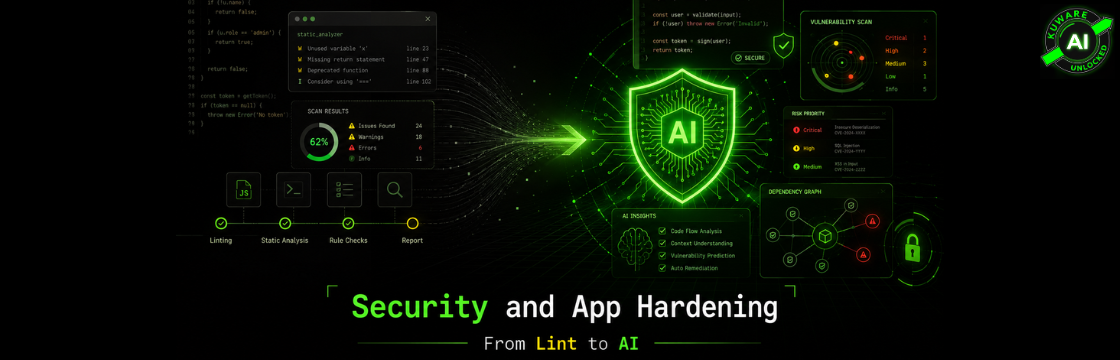
Security used to be a once-in-a-while event. That doesn't work anymore.
If you’re a developer in your early 30s today, you probably take tools like Semgrep, Snyk, GitGuardian, Dependabot, and GitHub security alerts for granted.
You push code. Something scans it. A bot comments on the pull request. A dashboard lights up. Maybe it even suggests the fix.
That feels normal now.
But it wasn’t always normal.
Not that long ago, app security was mostly a mix of senior developer judgment, occasional penetration testing, and a few rule-based tools yelling at you about formatting or obviously bad patterns. Useful? Yes. Enough? Not even close.
And now AI has changed the game again.
At Kuware, we’ve been looking more seriously at app hardening because the software world has changed in two directions at the same time. First, older apps have years of security debt sitting quietly in the codebase. Second, new AI-assisted development makes teams faster, but also makes it easier to ship code nobody fully understands.
That combination is dangerous.
So this article is not just a history lesson. It’s a practical look at how code security tools evolved, what they catch today, what they still miss, and how teams should start hardening their applications without turning the process into a giant expensive mess.
The old world: manual reviews, linting, and occasional panic
From roughly 2008 to 2018, most code security and quality control depended on human effort plus basic automated checks.
The common process looked something like this:
A senior developer reviewed code changes.
A QA person tested the app.
A linter complained about formatting or bad syntax.
Maybe a static analysis tool flagged some suspicious code.
And once in a while, usually before a big release or after a client asked uncomfortable questions, the company brought in a penetration tester.
That was the security process.
It wasn’t stupid. It was just incomplete.
Manual code reviews were valuable because experienced developers could catch design problems, weak authentication logic, unsafe assumptions, and weird business rules. But manual review has a real weakness: humans miss things.
They get tired. They focus on functionality. They trust code that "looks fine." And if the reviewer has never dealt with a certain vulnerability before, they may not catch it at all.
Penetration testing had the opposite problem. Good pentesters could find serious issues, but most teams only used them periodically. That meant you got a snapshot in time. Your app might have been tested in March, but by June the codebase had changed, dependencies had changed, and a developer may have accidentally committed an API key into the repo.
Security cannot be a yearly ritual anymore.
The first wave of automation helped, but it was mostly rule-based
Before AI became part of the conversation, teams already had useful tooling.
They used linting tools like ESLint, Pylint, and RuboCop to catch style issues and basic unsafe patterns. They used static analysis tools like SonarQube, PMD, and FindBugs to detect bugs, code smells, complexity problems, and some security issues. They used dependency scanners like OWASP Dependency-Check and Retire.js to find vulnerable libraries.
They also used formatters like Prettier and gofmt, plus coverage tools like JaCoCo, Istanbul, and coverage.py.
These tools made development better.
They reduced messy code. They created consistency. They caught a lot of common mistakes before they reached production.
But let’s be real: most of them were not "intelligent" in the way we think about tools today.
They were usually looking for known patterns. A dangerous function call. A vulnerable package version. A hardcoded string that looked like a secret. A bad configuration. A missing test.
That’s still useful. But it has limits.
Rule-based tools struggle with context. They may not understand why a piece of code is risky inside your specific business workflow. They may flood developers with false positives. And they rarely understand the difference between "technically suspicious" and "actually dangerous in this application."
That false-positive problem matters more than people admit.
If a tool screams too often, developers stop listening.
Then AI entered the security workflow
The first serious shift toward AI-based vulnerability detection started around 2017 to 2019, when researchers began applying deep learning to code analysis. Systems like VulDeePecker, SySeVR, and Devign explored whether machine learning could detect vulnerabilities in C and C++ code.
Interesting work. But not something most working developers were using every day.
The commercial market started moving more meaningfully around 2020 to 2022. Some tools used machine learning to reduce false positives or prioritize findings. Helpful, but still not a revolution.
The real breakout came after large language models became mainstream.
Once developers saw that LLMs could read, explain, and generate code, security teams immediately started asking the obvious question:
Can this help us find and fix vulnerabilities faster?
The answer turned out to be yes, with caveats.
GitHub’s Copilot Autofix is a good example of where things went. GitHub announced general availability of AI-powered remediation in GitHub Advanced Security in August 2024, describing it as a system that analyzes vulnerabilities, explains why they matter, and suggests code fixes. GitHub reported that developers in its public beta fixed vulnerabilities more than three times faster when using Copilot Autofix compared with manual remediation.
GitHub’s own docs explain the basic idea clearly: Copilot Autofix uses LLMs along with data from the codebase and code scanning analysis to generate targeted recommendations for CodeQL alerts. It does not remove the need for developer review. It gives the developer a practical starting point instead of making them research every vulnerability from scratch.
That’s the important shift.
Modern security tools don’t just say, "Here’s a problem."
They increasingly say: "Here’s the problem, here’s why it matters, here’s where it happens, and here’s a possible fix."
That is a very different developer experience.
App hardening now has two separate jobs
This is where many business owners and even some technical teams get confused.
Modern app security is not one problem. It is at least two different problems.
Problem one: traditional application security risks
These are the classic risks that existed long before AI became popular:
- Hardcoded secrets and API keys
- SQL injection
- Cross-site scripting
- Broken authentication
- Broken authorization
- Vulnerable dependencies
- Insecure cloud or app configuration
- Weak session handling
- Dangerous file upload behavior
- Exposed admin routes or internal APIs
These are not new. We’ve been dealing with them for years.
The difference is that modern tools are much better at finding them continuously. You don’t have to wait for the annual pentest. You can scan every pull request, every deployment, every dependency update, and every staging build.
Tools in this category include GitGuardian, Gitleaks, Semgrep, Snyk, Checkmarx, OWASP ZAP, Dependabot, and GitHub Advanced Security.
Semgrep, for example, describes itself as a fast open-source static analysis tool that searches code, finds bugs, and enforces secure guardrails. It supports more than 30 languages and can run in IDEs, pre-commit checks, and CI/CD workflows.
That last part matters: security is most useful when it runs where developers already work.
Problem two: risks created by AI features and AI-assisted development
Now we have a newer class of risk.
These are not just normal software bugs. They come from adding AI models, AI agents, AI-generated code, prompt workflows, tool calling, RAG systems, and third-party LLM APIs into applications.
Examples include:
- Prompt injection
- Sensitive information leaking through model responses
- Insecure handling of LLM outputs
- AI-generated code that looks correct but contains subtle flaws
- Overly powerful AI agents that can take actions they shouldn’t
- Sending customer data to AI providers without proper controls
- RAG systems exposing documents across users or permissions
- LLM tools calling internal APIs without strong authorization checks
OWASP’s LLM Top 10 lists risks such as prompt injection, insecure output handling, training data poisoning, model denial of service, supply chain vulnerabilities, sensitive information disclosure, insecure plugin design, excessive agency, and overreliance.
That’s not theoretical anymore.
Any company adding chatbots, AI copilots, internal knowledge assistants, automated support workflows, or AI-powered reporting needs to treat LLM security as part of app hardening.
Not later. Now.
The uncomfortable truth about AI-generated code
AI coding tools are useful. We use them. Developers should use them.
But they create one dangerous illusion: because the code compiles and looks clean, people assume it is safe.
That’s a bad assumption.
AI can generate code that is syntactically correct and logically flawed. It can forget access control. It can skip input validation. It can use outdated libraries. It can implement security logic that looks smart in a quick review but fails under real-world conditions.
The risk is not that AI writes "bad code" all the time.
The risk is that AI writes plausible code very quickly, and teams merge it faster than they inspect it.
This is why app hardening has to move into the development pipeline. You cannot rely on memory, good intentions, or "we’ll clean it up later."
Later is where security debt goes to grow teeth.
What security hardening should look like for an existing app
If you have an app that has been running for years, don’t start with a massive security transformation project.
Start with the basics.
The first pass should be about finding obvious, high-risk, high-confidence problems. You want quick wins and a clear risk picture.
A practical first sequence looks like this:
- Run secret scanning across the full repository history — Use GitGuardian or Gitleaks. Don’t just scan the current code. Scan the history. Old keys, tokens, passwords, and credentials often sit in commits nobody remembers.
- Rotate exposed secrets immediately — Finding a leaked key is only step one. Assume it may have been exposed. Rotate it, revoke it, and check where it was used.
- Run static analysis on the full codebase — Use Semgrep, Snyk Code, CodeQL, or a similar SAST tool. Start with high-confidence security rules before opening the floodgates.
- Scan dependencies and containers — Many real vulnerabilities come from third-party packages. Use Snyk, Dependabot, OWASP Dependency-Check, Trivy, or similar tools depending on your stack.
- Run dynamic scanning against staging — OWASP ZAP, StackHawk, or similar DAST tools can catch runtime behavior that static tools miss.
- Review authentication and authorization manually — Tools help, but business logic still needs human review. This is especially true for admin features, billing, customer data, reports, and multi-tenant access.
- Fix critical issues first, then re-scan — Don’t try to fix everything at once. Start with secrets, exploitable vulnerabilities, exposed endpoints, and dependency issues with known active risk.
- Create a repeatable checklist — The real win is not the first scan. The real win is making sure the same mistakes don’t return.
That is a reasonable hardening path for legacy apps.
Not glamorous. Very effective.
What security should look like for new development
For new development, security should be built into the workflow from day one.
That means developers should get feedback before risky code reaches production. Ideally, before it even reaches the main branch.
Here’s a strong starting setup:
- Add Gitleaks or GitGuardian as a pre-commit hook
- Run SAST checks on every pull request
- Require passing security checks before merge
- Add dependency scanning to CI/CD
- Enable Dependabot or a similar dependency update workflow
- Run DAST scans against staging
- Add logging and alerting for suspicious auth, API, and admin activity
- Use code owners for sensitive files and security-critical areas
- Review AI-generated code more carefully, not less carefully
The big idea is simple: don’t make security depend on someone remembering to do it.
Automate the guardrails.
A practical, mostly-free hardening stack
You don’t need to spend a fortune to get started.
For many small and mid-sized teams, this stack is enough to create meaningful improvement:
| Purpose | Recommended Tool | Cost | Notes |
|---|---|---|---|
| Secret scanning | Gitleaks | Free | Lightweight and excellent for repos and CI |
| SAST | Semgrep Community | Free | Fast, customizable, strong starting point |
| Dependency scanning | Snyk or Dependabot | Free tier / included | Good for known vulnerable packages |
| DAST | OWASP ZAP | Free | Industry standard for runtime scanning |
| Container scanning | Trivy | Free | Useful for Docker/containerized apps |
| AI-specific testing | Promptfoo / Lakera / custom tests | Free or paid | Useful for LLM apps and prompt workflows |
As the team grows, paid tools may make sense because dashboards, reporting, policy controls, team workflows, and enterprise integrations start to matter.
Snyk, for example, states that its AI capabilities are designed around identifying vulnerabilities, proposing fixes, and promoting security in the software development lifecycle, with AI governance controls around how these capabilities are used.
Semgrep has also continued adding AI-assisted capabilities. Its March 2026 release notes mention Autofix beta support for Semgrep Code findings and AI-powered detection findings shown alongside rule-based scan findings.
This is where the category is heading.
Not just "scan my code."
More like "help my developers understand and fix the risk without needing a security expert in every pull request."
But don't outsource judgment to tools
Here’s where I want to be careful.
AI security tools are useful. Some are becoming very good. But they are not magic.
They can miss business logic flaws. They can suggest incomplete fixes. They can misunderstand intent. They can produce a patch that resolves the scanner warning but doesn’t actually solve the deeper problem.
So the workflow should not be:
Tool finds issue.
AI suggests fix.
Developer blindly commits.
That’s how you create a new class of mistakes.
The better workflow is:
Tool finds issue.
AI explains it.
AI suggests a fix.
Developer reviews the fix.
Tests confirm behavior.
Security checks run again.
Then the change gets merged.
That keeps humans in the loop without making humans do all the grunt work.
AI apps need extra hardening
If your application includes AI features, normal code scanning is not enough.
You also need to test how the AI behaves when users try to manipulate it.
For example:
Can a user override the system prompt?
Can one customer access another customer’s documents through a RAG workflow?
Can the AI call tools or APIs it shouldn’t?
Can the model reveal hidden instructions?
Can the model output unsafe code, SQL, HTML, or commands that your app later executes?
Can sensitive data be sent to an outside AI provider without approval?
Can the AI agent take action without explicit user confirmation?
These are not the same as classic code bugs. Some are architecture problems. Some are workflow problems. Some are permission problems. Some are prompt and model-behavior problems.
That means AI app hardening needs a slightly different checklist:
- Treat prompts as attack surfaces
- Treat model output as untrusted input
- Keep user permissions outside the model
- Never rely on the LLM to enforce authorization
- Log AI tool calls and important model actions
- Put limits on what AI agents can do
- Use allowlists for tools, files, APIs, and actions
- Test prompt injection and data leakage scenarios before launch
The key point: AI should not become the security boundary.
Your application should enforce the security boundary.
The real business risk is hidden security debt
A lot of companies have been shipping software for years without modern security tooling.
That doesn’t mean their apps are automatically insecure. But it does mean they may not know what’s sitting inside the codebase.
Old API keys.
Unused admin routes.
Outdated libraries.
Weak upload handling.
Debug endpoints.
Over-permissive internal tools.
AI-generated code nobody reviewed deeply.
Customer data flowing into third-party services without clear policy.
When modern tools are first run against older codebases, teams are often surprised by what appears. Sometimes it’s a handful of issues. Sometimes it’s hundreds. Sometimes it’s a giant backlog that nobody wants to look at.
That can feel painful, but it’s better than ignorance.
You can’t fix what you don’t see.
The bottom line
The evolution from manual reviews and basic linters to AI-assisted security tools is one of the biggest improvements in software development over the last decade.
The old way was slow, periodic, and heavily dependent on individual expertise.
The new way can be continuous, faster, and much more practical for real development teams.
But only if you actually use it.
App hardening is no longer something you do once before launch. It has to become part of the development rhythm. Scan code. Scan dependencies. Block secrets. Test runtime behavior. Review AI-generated code. Test AI features like an attacker would.
And most importantly, build the habit.
The tools are better than they’ve ever been. Many of the starting tools are free. The hard part now is not access to technology.
The hard part is discipline.
For teams building modern software, especially software with AI inside it, security can’t stay as an afterthought. It has to move into the workflow where the code is actually being written.
